Mobile apps
Your roadmap, on iPhone, iPad and Android
Check the plan from anywhere on your phone, and create and edit roadmaps on a tablet. Same account, same roadmaps as justroadmap.io, and free to use.

On your phone: see where things stand
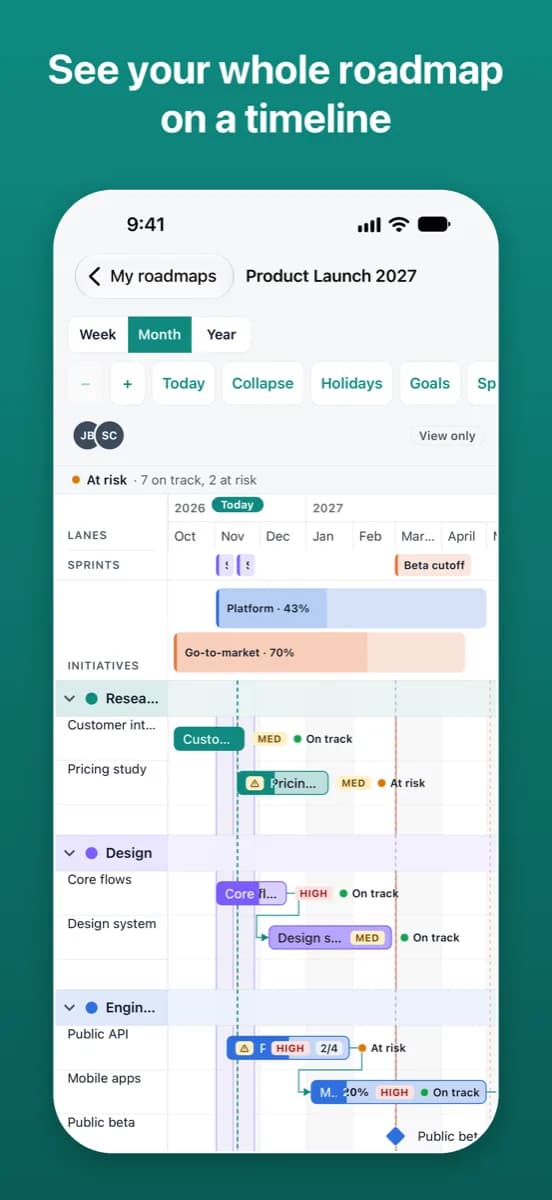
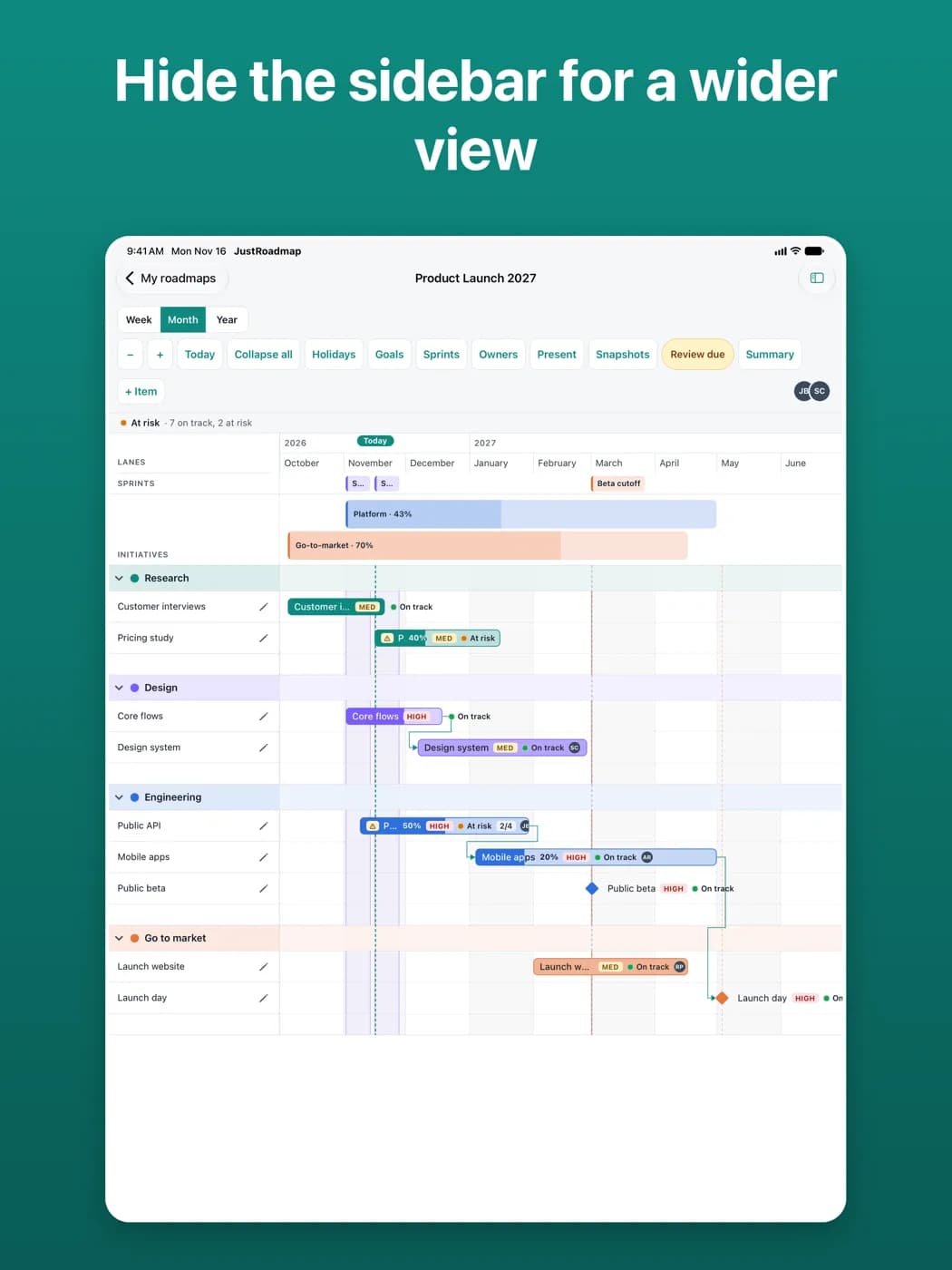
- See any roadmap on a timeline by week, month or year, with lanes you can collapse, weekends and holidays shaded, and today marked.
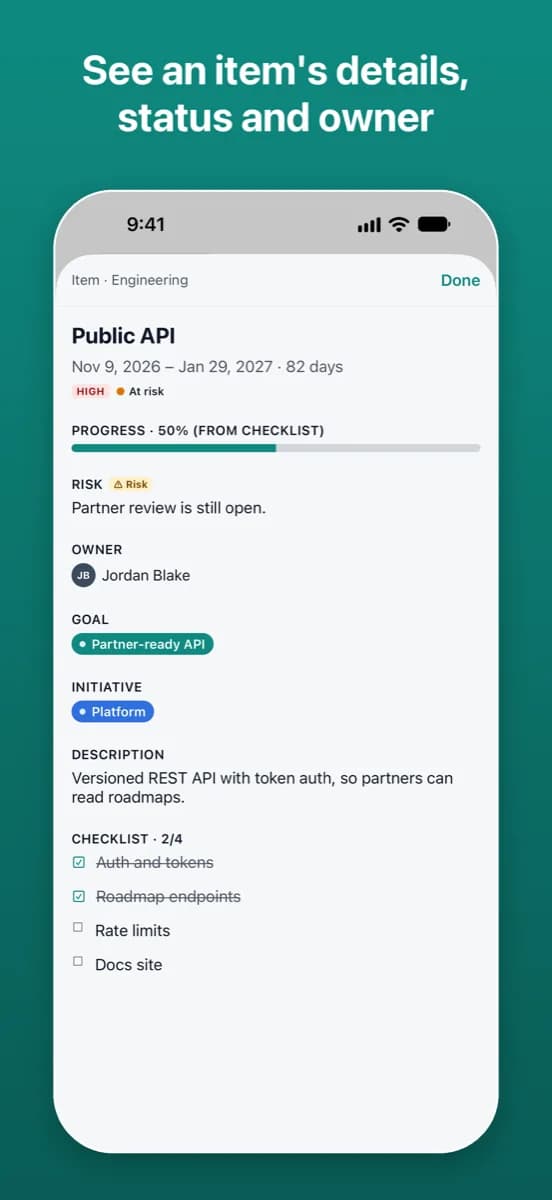
- Open an item or milestone for its dates, progress, priority, status, owner, risks, description and link.
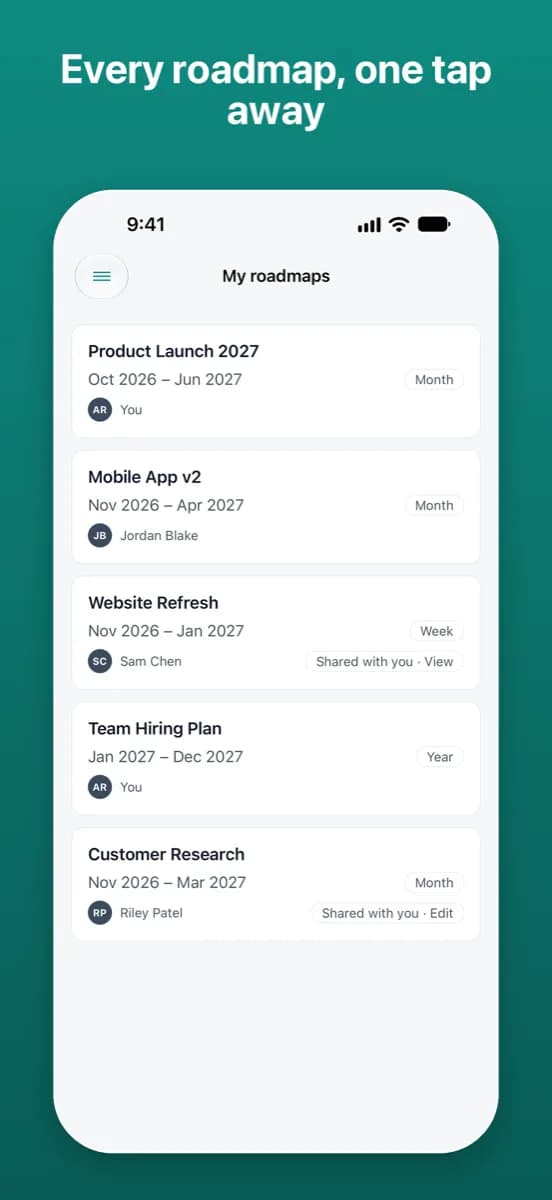
- Switch between your personal workspace and your team workspaces; roadmaps show their owner, and a Shared with you badge when someone shared them with you.
- Filter by owner, see who else is viewing, and open a roadmap’s stakeholder summary when it’s turned on.
- Phones are for reading. One-tap actions such as Mark reviewed work there; creating and editing roadmaps happens on a tablet or the website.
On a tablet: plan and edit
- Create a roadmap: name it, pick a workspace and a month range, and start from a template if you like.
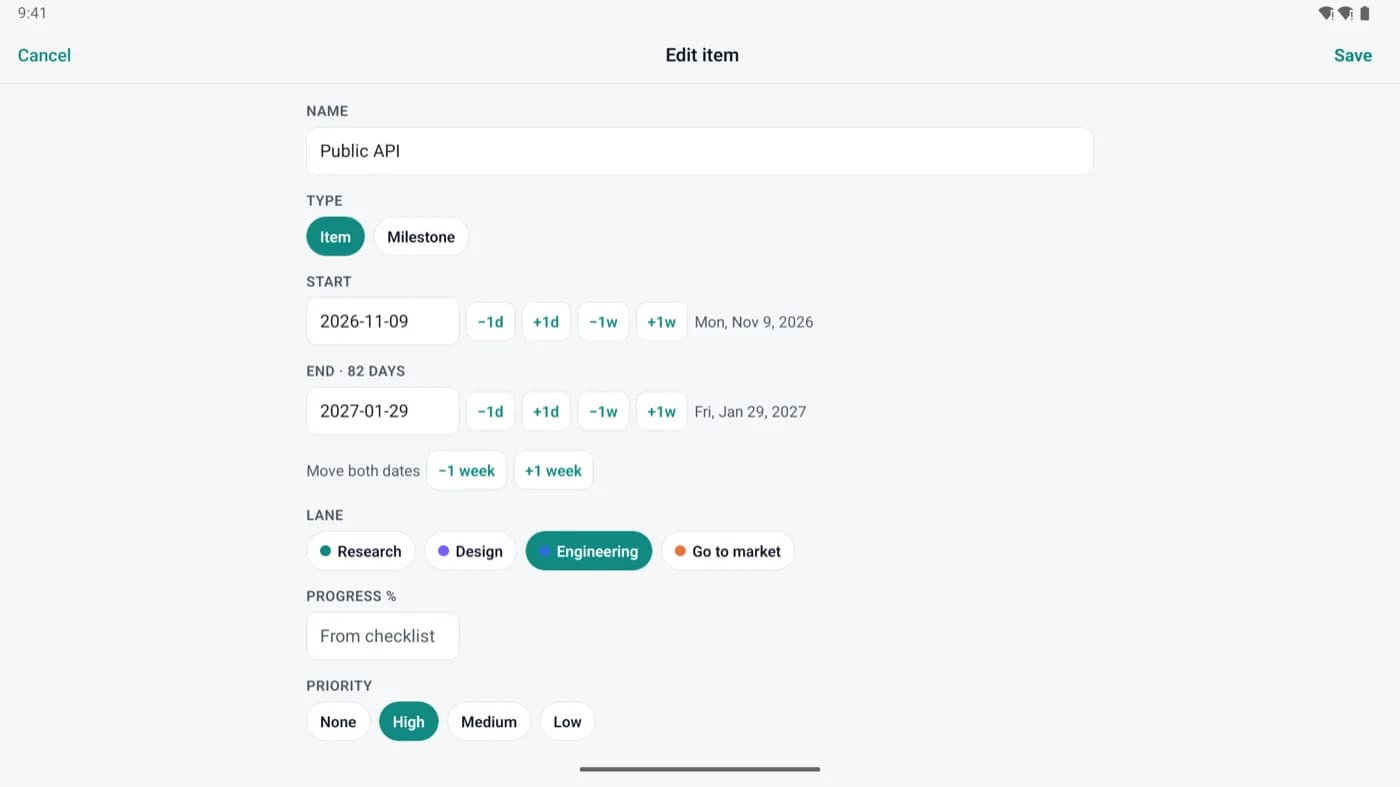
- Add or delete items and milestones, and change their name, dates, lane, progress, description or link.
- Everything you can see on a phone, with a sidebar for your workspaces and roadmaps.
- Checklists and dependencies are edited on the website.
One account, everywhere
Sign in with Apple (iPhone and iPad), Google, X or email, or create an account in the app with your email address. Your roadmaps and team workspaces are the same in the apps and on the website. You can reset or change your password (email accounts), add a profile photo and delete your account from the app.
The apps need an internet connection. They have no ads, no in-app purchases and no tracking. Read the Privacy Policy.
The website or the app?
- Is the app free?
- Yes. JustRoadmap is free to use while we're getting started, on the web and in the apps. There are no ads and no in-app purchases.
- Can I edit on my phone?
- Phones are for reading: open any roadmap and item, switch workspaces, and take one-tap actions such as Mark reviewed. To create or change a roadmap, use a tablet or justroadmap.io.
- What can I do on a tablet?
- On iPad and Android tablets you can create a roadmap and make quick edits: add or delete items and milestones, and change a name, dates, lane, progress, description or link. Checklists and dependencies are edited on the website.
- Do I need a separate account?
- No. Sign in with the account you use at justroadmap.io, or create one in the app. Your roadmaps and team workspaces are the same everywhere.
- Does the app work offline?
- No, the apps need an internet connection. If you need to read a roadmap without one, the website on your phone can keep copies of roadmaps you've opened for offline reading.
- What stays on the website?
- Inviting people and managing roles and access, share links and embeds, exports, snapshots, connecting AI assistants, and editing checklists and dependencies.
Start on the web, take it with you
Start a roadmap on the web now, and pick it up on your phone or tablet later.