Teams
Plan together, with the right access for everyone
Bring your team into one workspace, give each person the right role, and share the plan with people outside it.
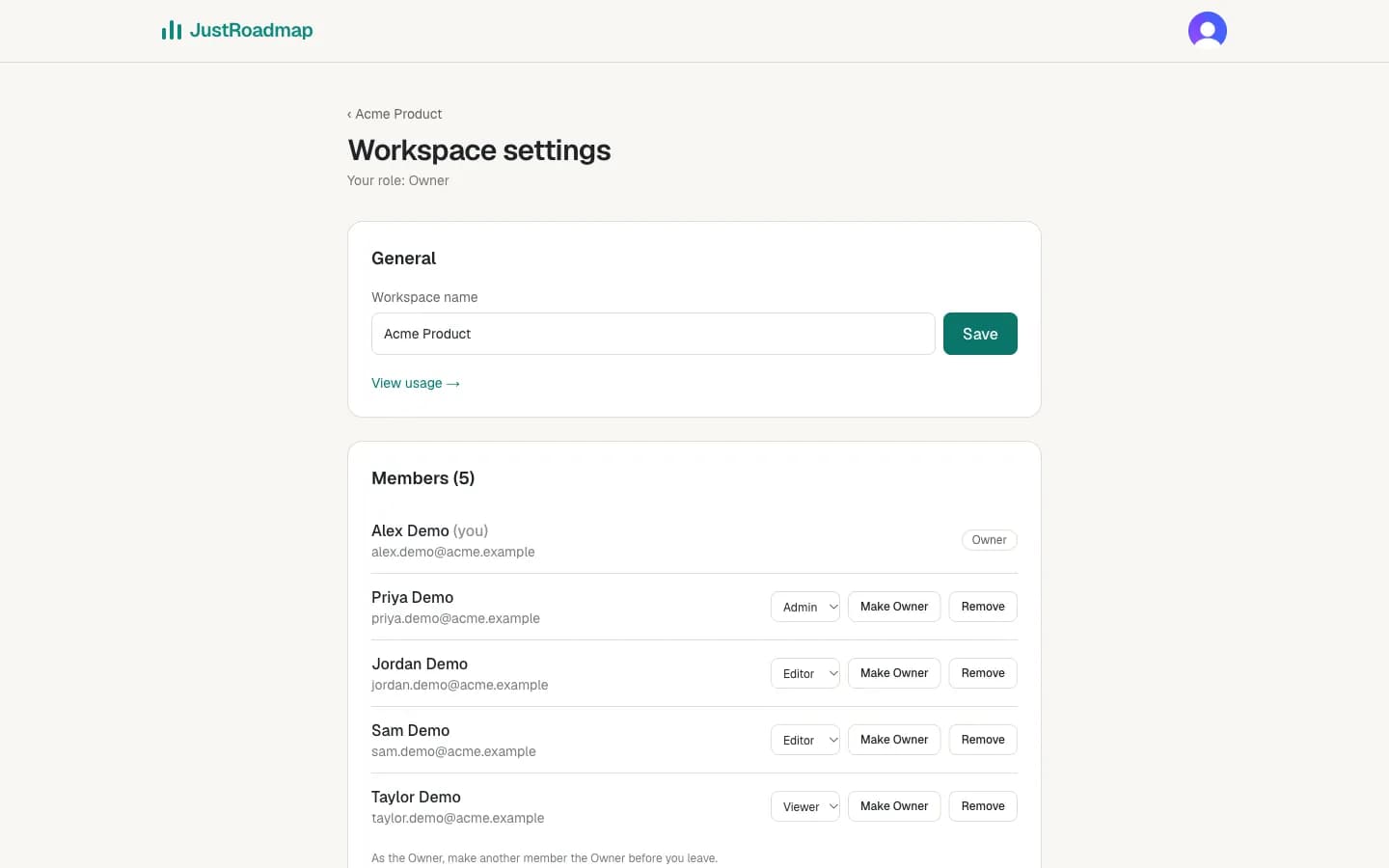
Team workspaces
Plan together, with the right role for everyone
Invite people by email or link as Owner, Admin, Editor or Viewer. Roles are checked on our servers on every request, not just hidden in the page.
Personal to team
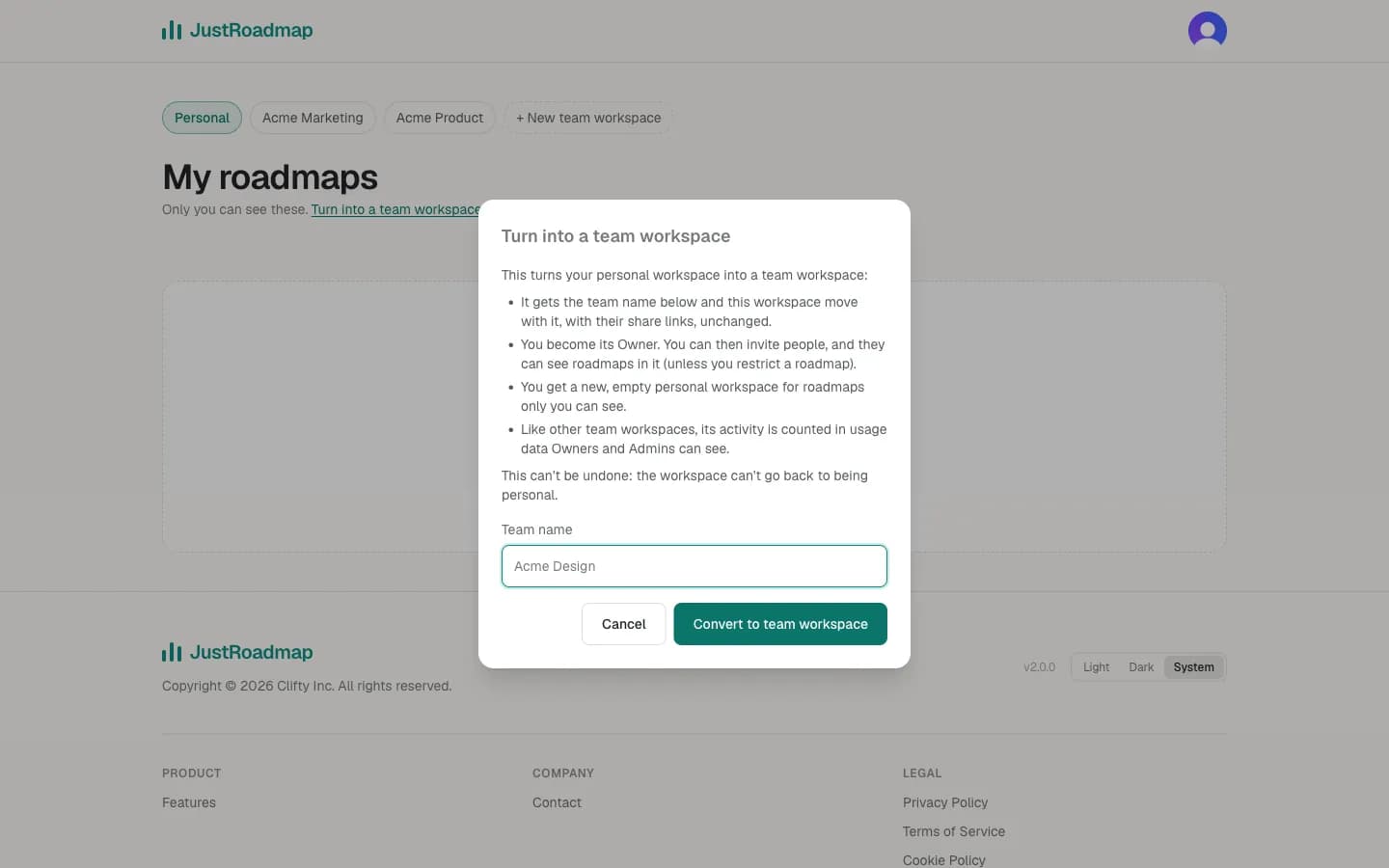
Turn your personal workspace into a team
Already planning on your own? Name the team and your roadmaps, share links and embeds come with it unchanged. You get a fresh personal workspace too.
Item owners
Know who owns each piece of work
Type who owns an item, or pick a member of your workspace. If that member leaves, the item keeps the name and the link to them is removed.
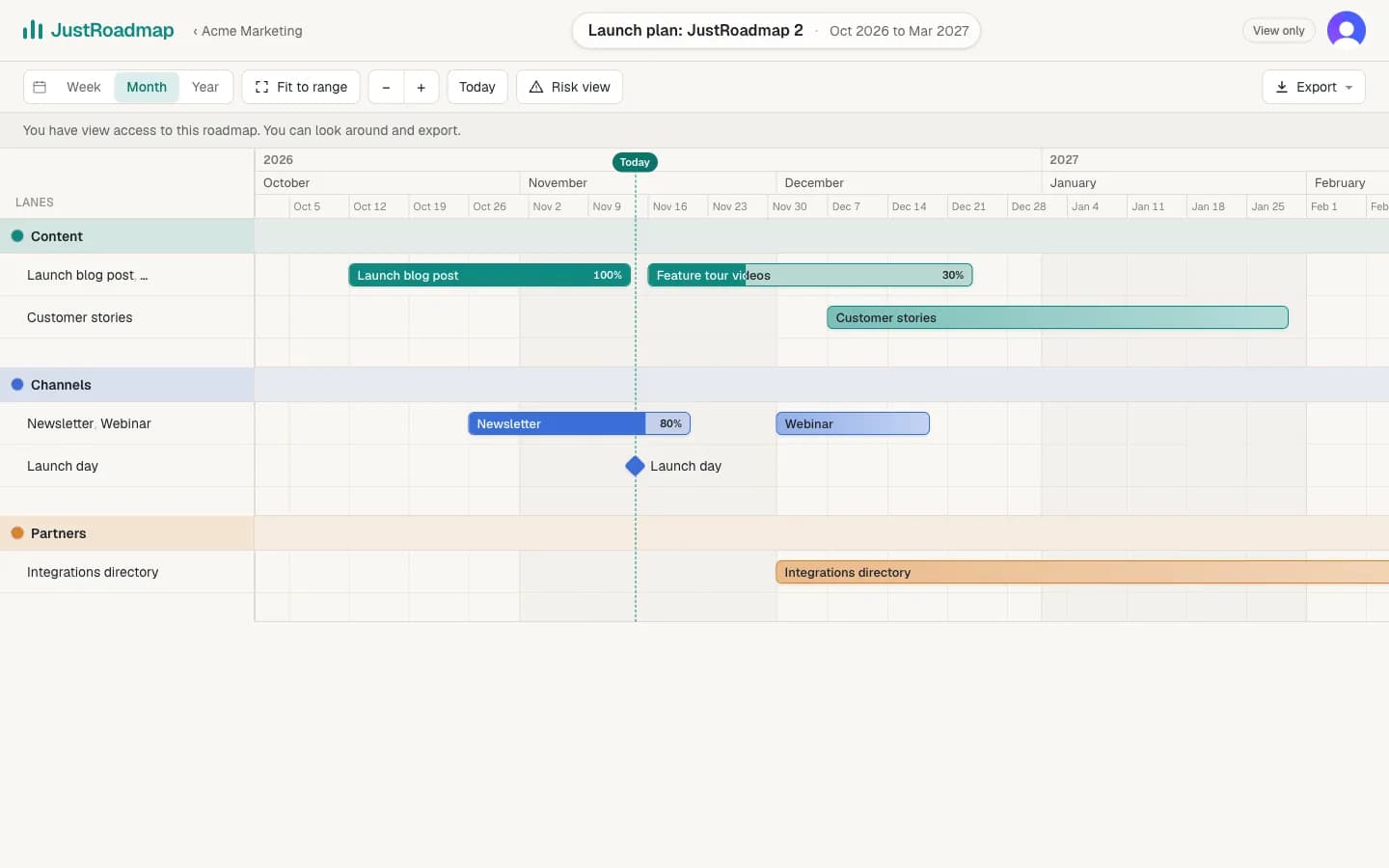
View-only access
Let people look without changing anything
Viewers, and anyone you give Can view on a roadmap, get a read-only editor: they can look around, open item details, use Risk view and export.
Share links
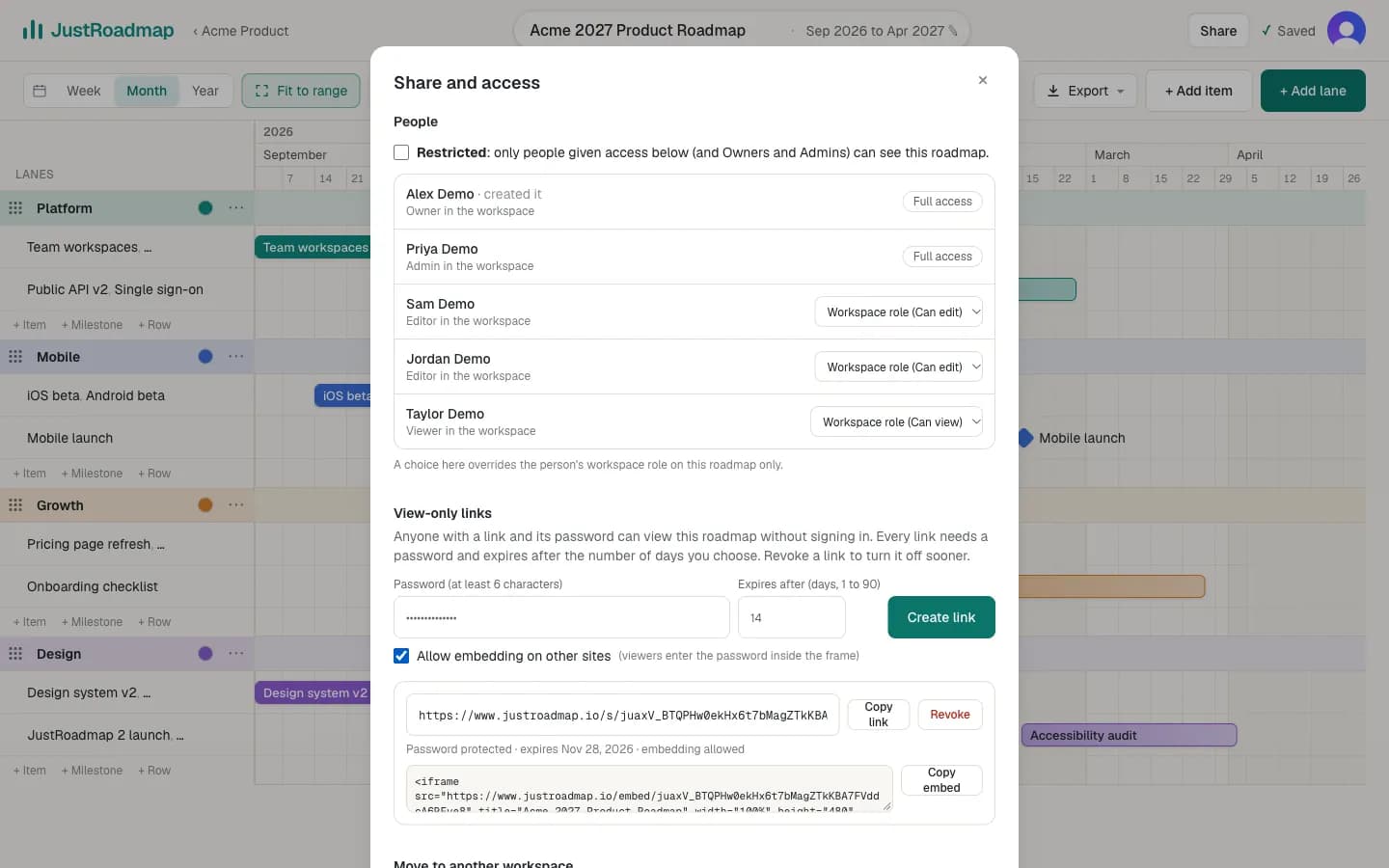
Share links with a password and an expiry
People with the link and its password can view the roadmap without signing in. Every link expires after 1 to 90 days, and Revoke turns it off straight away.
Embeds
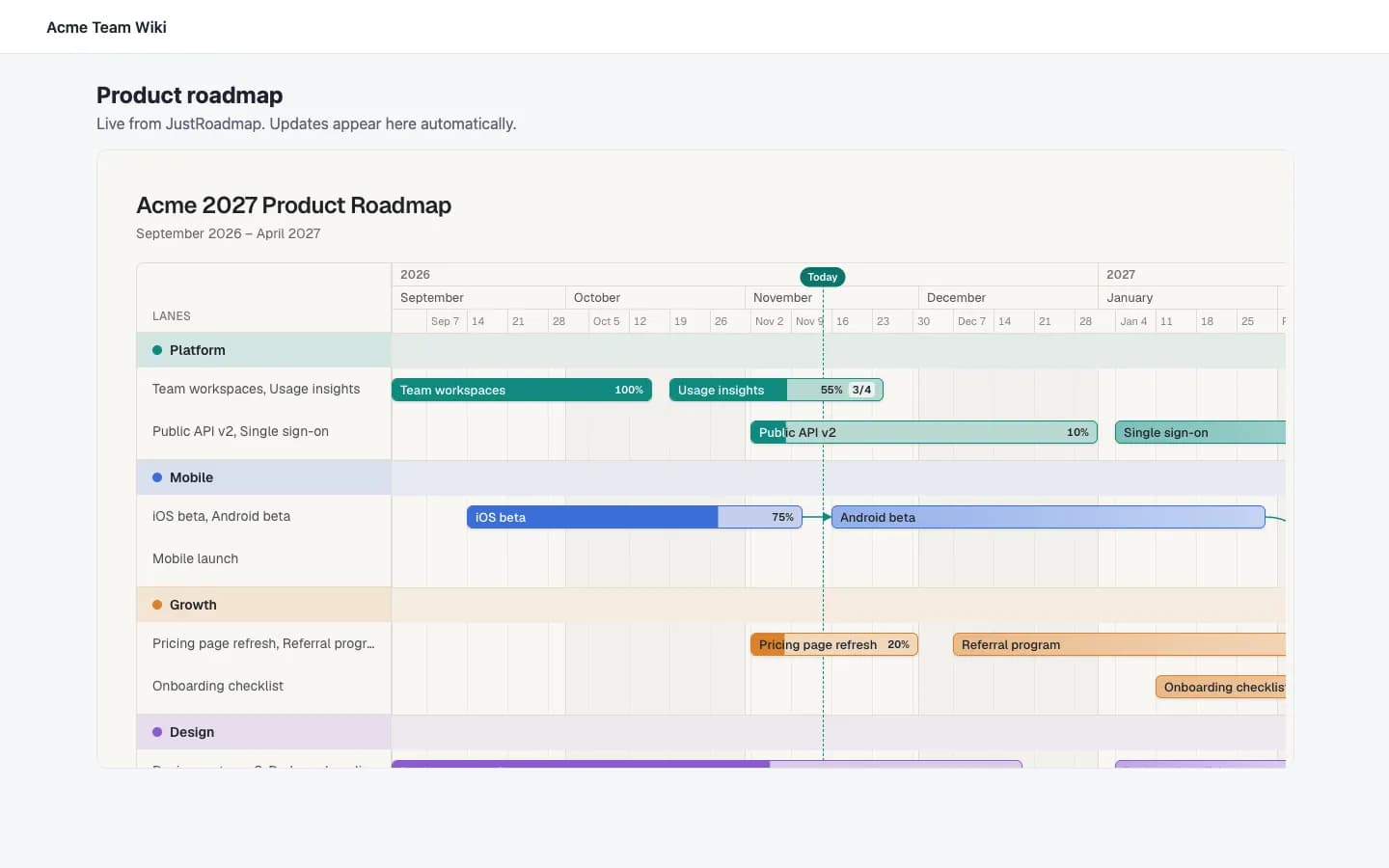
Put a live roadmap in your wiki or docs
Tick Allow embedding to get an iframe snippet. Viewers enter the password inside the frame, and the embed ends when the link does.
Connected assistants
Bring your AI assistant into the plan
Connect Claude, Cursor or another AI assistant, choose which workspaces it can read or change, and disconnect it any time from Connected assistants.
Usage insights
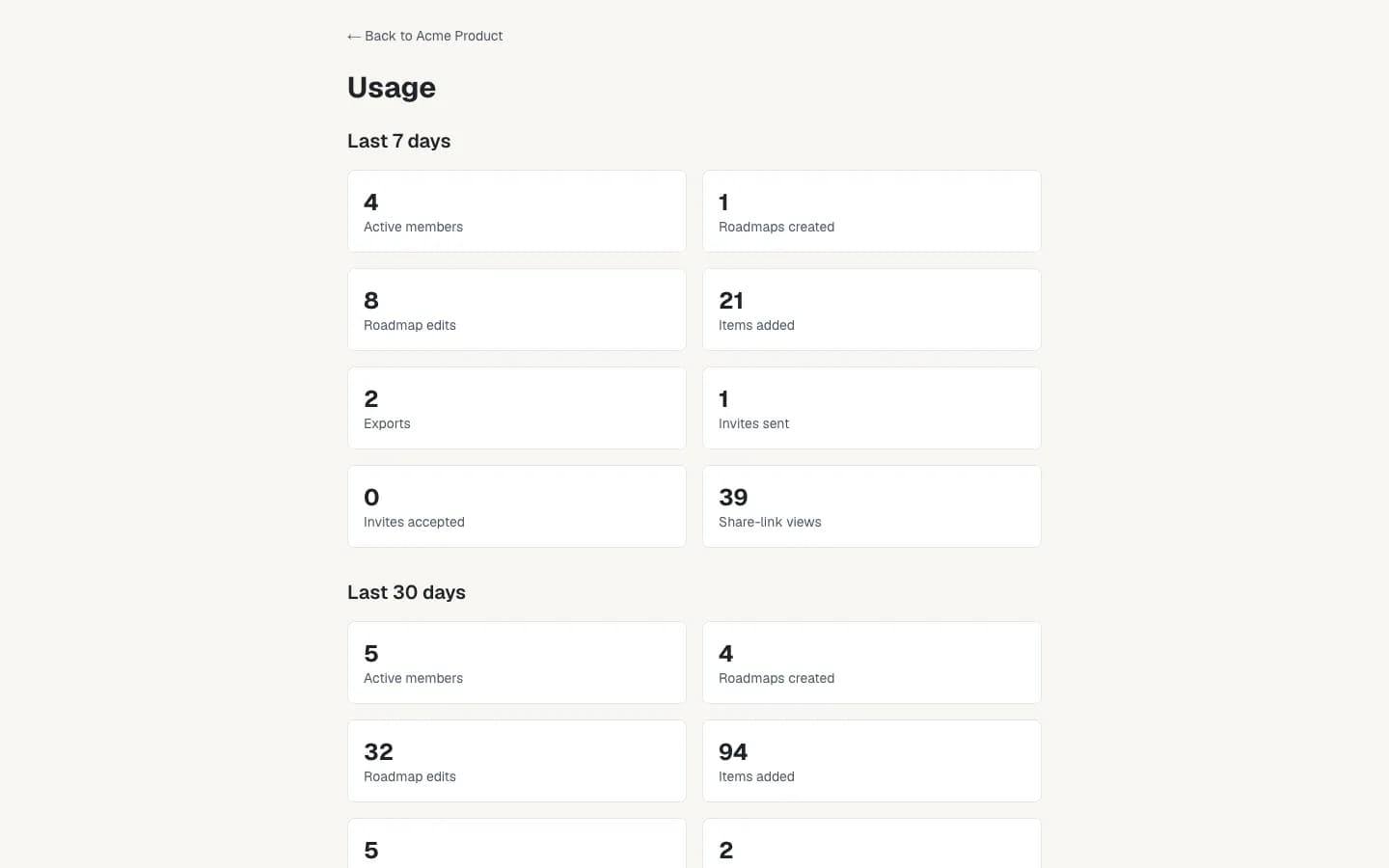
See how your team uses its roadmaps
Owners and Admins see rolling 7- and 30-day activity for a team workspace. Only counts are kept, never roadmap content.
Start your roadmap
JustRoadmap is free to use while we're getting started.