Planning
Know what matters, and what's at risk
Give work a priority and a status, flag risks early, and see milestones, weekends and the health of the whole roadmap at a glance.
Priority
Make the important work stand out
Mark an item or milestone High, Medium or Low in the details panel. A small tag on the bar shows what matters most, on screen and in exports.
Status and health
See the health of the whole roadmap
Mark work On track, At risk or Off track. A colored dot shows on each bar, and the toolbar sums it up so you know where things stand at a glance.
Risk flags
Flag a risk before it becomes a slip
Flag an item as a risk and add a short note on what could go wrong. The flag shows on the bar, and the note is right there in the item panel.
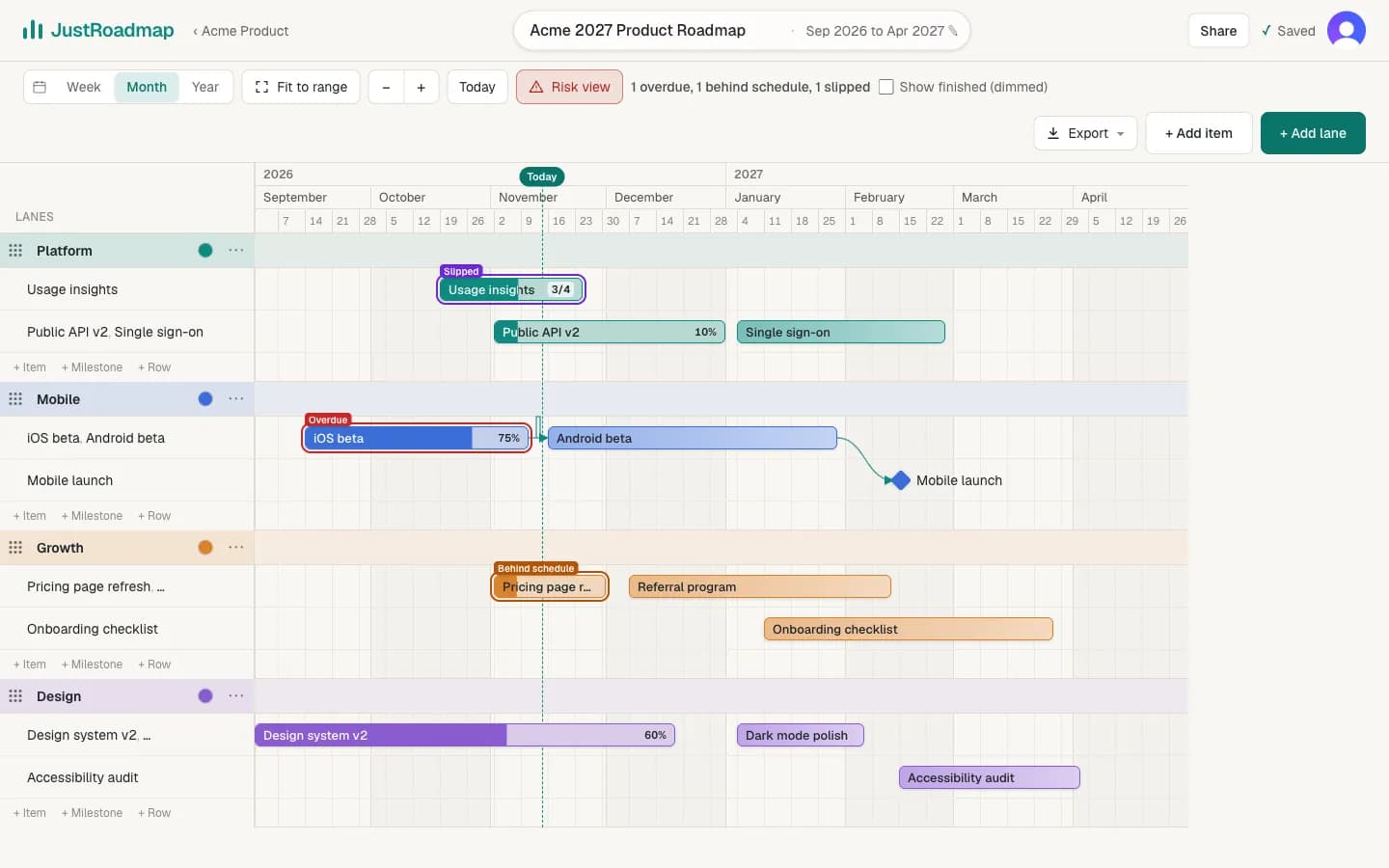
Risk view
Spot the work that needs attention
One press hides finished work and labels the rest: overdue, behind schedule, slipped from its planned end, or blocked by unfinished work.
Milestones
Milestones with guide lines
Mark launches and deadlines as milestones and link work that has to finish first. A faint dashed line runs down from each one, so you can see what lands before or after it.
Days and weekends
Zoom in to days, with weekends shaded
Zoom in and the header switches to individual days, with weekends shaded. Hover a day to see its full date, like Mon, Nov 30, 2026.
Holidays
Public holidays and your own days off
Turn on public holidays for your countries, or your own company days off, for any roadmap. They're shaded on the timeline, and hovering a day shows the holiday and its list.
Start your roadmap
JustRoadmap is free to use while we're getting started.