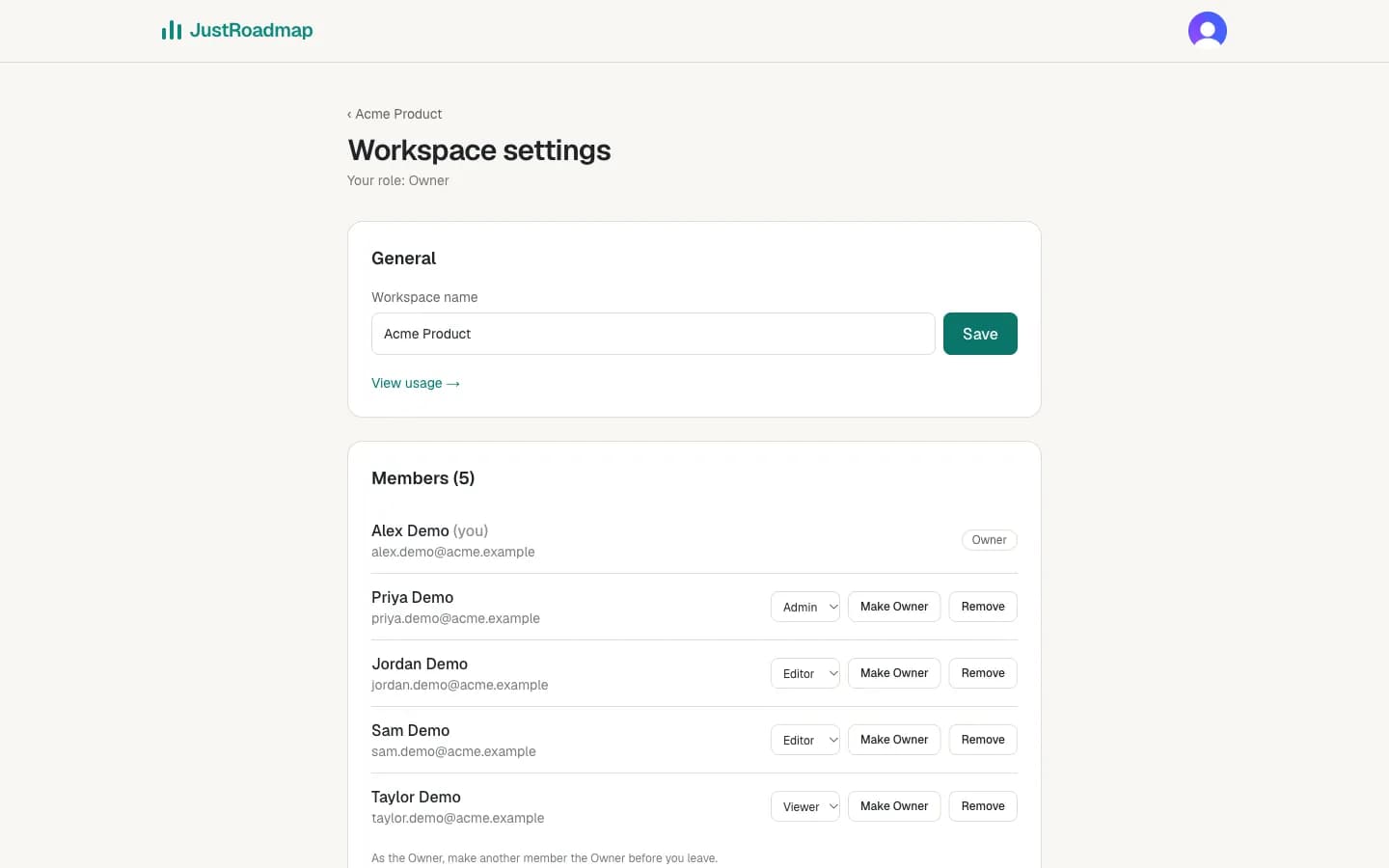
Four roles
Create a team workspace from My roadmaps (“New team workspace”). Roadmaps you create there belong to the team, and everyone in the workspace sees them according to their role:
- Owner: everything, including handing the workspace to someone else.
- Admin: manages members and workspace settings.
- Editor: creates and edits roadmaps.
- Viewer: can open roadmaps but not change them.
Roles are checked by our servers on every request, not only hidden in the page. Switch between workspaces with the tabs above your roadmaps. Need a different level for one roadmap? Use per-roadmap access.
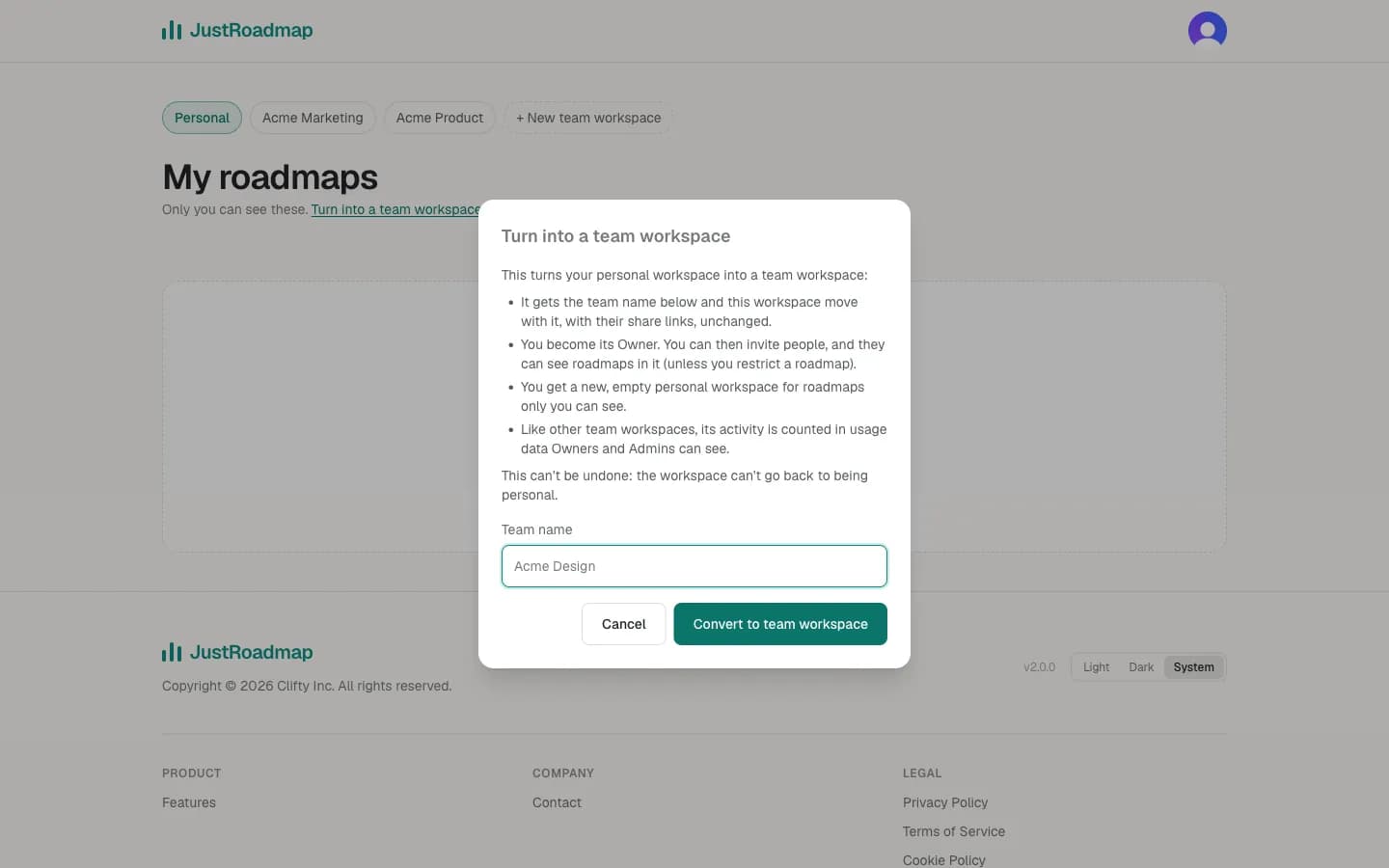
Turn your personal workspace into a team workspace
Already planning on your own? Choose Turn into a team workspace under My roadmaps and give the team a name. Your personal workspace becomes that team workspace with you as its Owner: its roadmaps, share links and embeds stay exactly where they are, and you can start inviting people. You also get a new, empty personal workspace for roadmaps only you see. A dialog explains this before anything changes, the switch happens in one step (pressing twice does nothing extra), and it can't be undone.
Inviting people
Owners and Admins invite people from the workspace's Settings and members page: enter an email address and pick a role. You get a link to copy and send; it works once, only for that email address, and expires after 14 days. Someone without a JustRoadmap account also gets an invitation email. The person signs in with the invited address and chooses Accept and join or Decline. Pending invites are listed on the same page and can be revoked at any time.
Managing members
Owners and Admins can change a member's role or remove them, and anyone except the Owner can leave a workspace. The Owner can make another member the Owner (they then become an Admin); a workspace always has exactly one Owner. Viewers can open a roadmap, look around, open items to read their details, use Risk view and export it; the editor shows no add, rename, drag or delete controls for them.
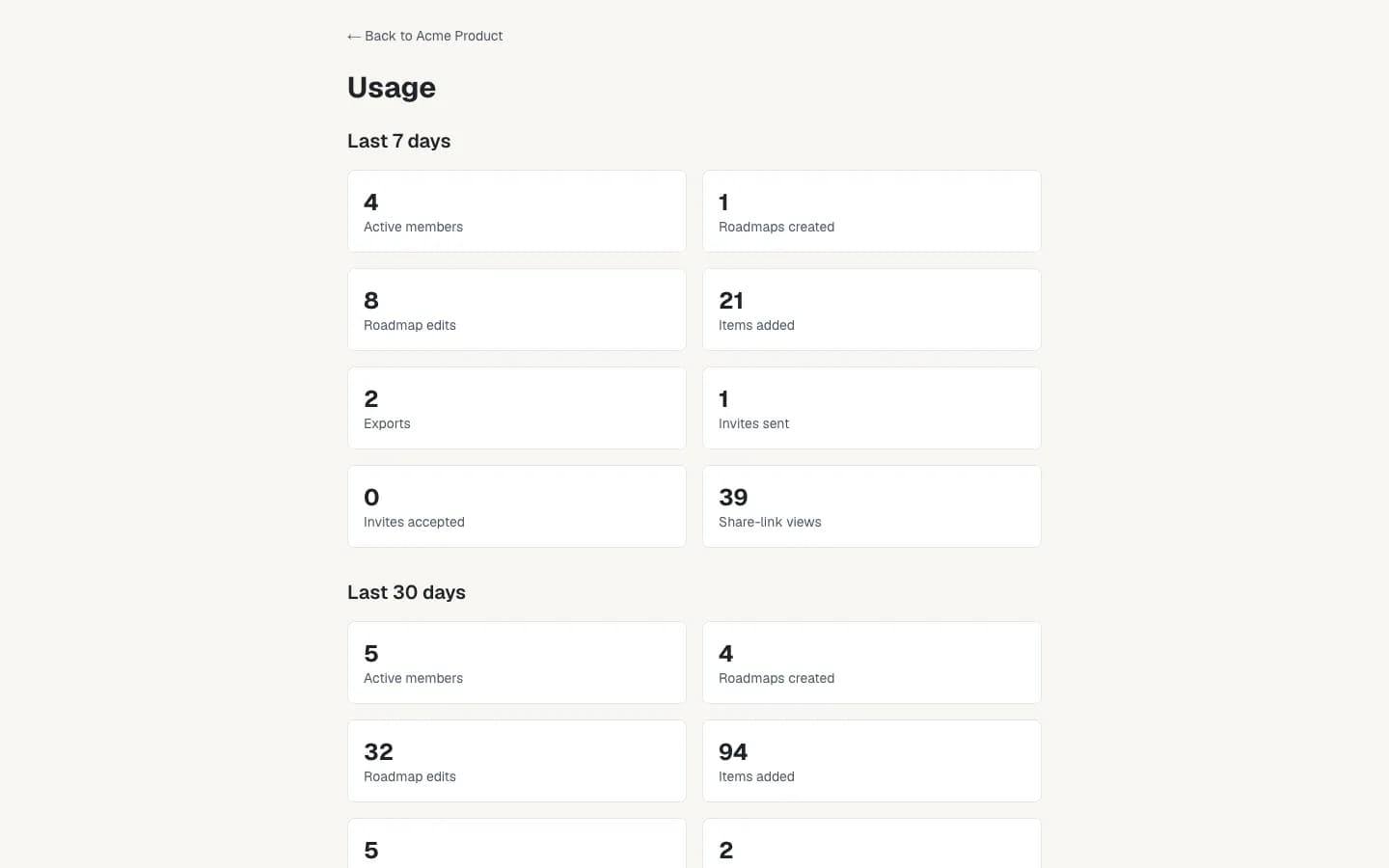
Usage insights for Owners and Admins
Owners and Admins can view workspace usage from Settings and members: rolling 7-day and 30-day counts of active members (people who opened, created, edited or exported a roadmap), roadmaps created and edited, items added, exports, invites sent and accepted, and views of share links and embeds. Only counts are kept, never roadmap content; personal workspaces aren't tracked. It helps admins see how the team uses its roadmaps. This is not a paywall or a plan limit.
Deleting a team workspace
The Owner can delete a team workspace from Settings and members by typing its name. That permanently deletes its roadmaps, pending invitations and share links, and removes every member; their own accounts and personal roadmaps aren't affected. Move or export anything you want to keep first.
When you delete your account, the dialog lists every team workspace you own. For each one with other members, pick a new Owner from its members or choose to delete it for everyone; the account can't be deleted until each has a choice, so a team is never left without an Owner. Workspaces you own on your own are deleted with your account, and the dialog names every workspace that will be deleted before you confirm. When a workspace is deleted with your account, each of its other members gets a short email from JustRoadmap saying it was deleted and they no longer have access (it doesn't name anyone else).